The easiest way
to track your
portfolio.
Import your portfolio from a screenshot of any brokerage — stocks, ETFs, crypto, and 8 more asset classes. SnapFolio uses AI to extract your holdings and track performance automatically. No account linking required.
Add your portfolio in three simple steps
Screenshot your portfolio
Open your brokerage app and take a screenshot of your holdings.
AI extracts your holdings
SnapFolio.AI reads the screenshot and identifies every position automatically.
Track performance automatically
Prices update in real time. Your portfolio is always current.
Designed to feel effortless from the first tap.
No complicated setups. No linked accounts. Just import a screenshot and your portfolio is ready.
Screenshot Import
Take a photo of your brokerage screen — your holdings appear instantly.
AI-Powered Extraction
Reads every ticker, quantity, and price from the image automatically.
Real-time Price Updates
Prices refresh live across stocks, ETFs, and crypto.
AI Portfolio Insights
Diversification score, portfolio state, and what changed since your last visit — numbers first, AI narrative second.
Privacy First
No account required. Your data stays on your device, always.
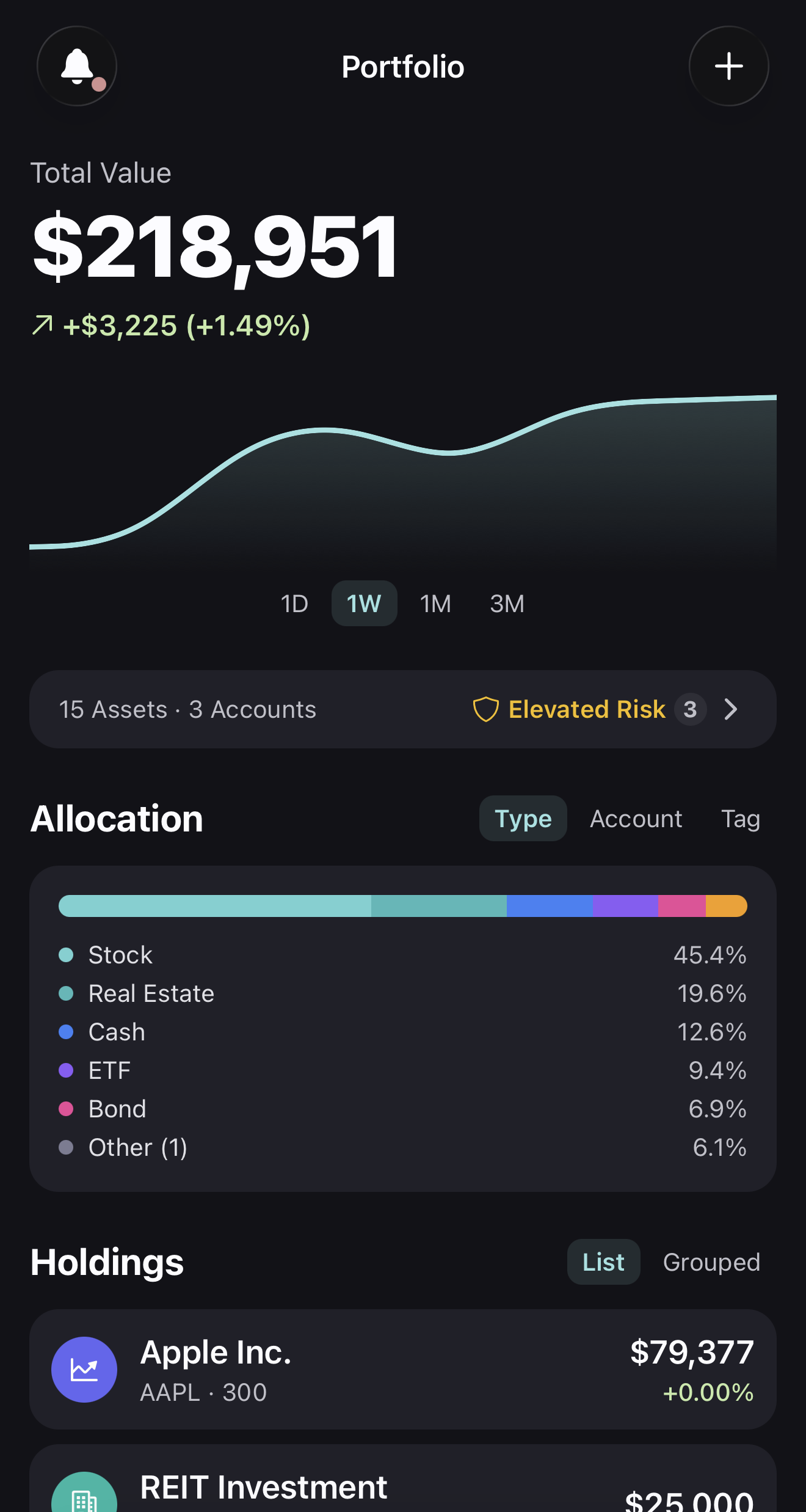
Your entire portfolio, one clean view.
See all your holdings with real-time prices, daily changes, and total portfolio value. No clutter, no noise — just the numbers that matter.
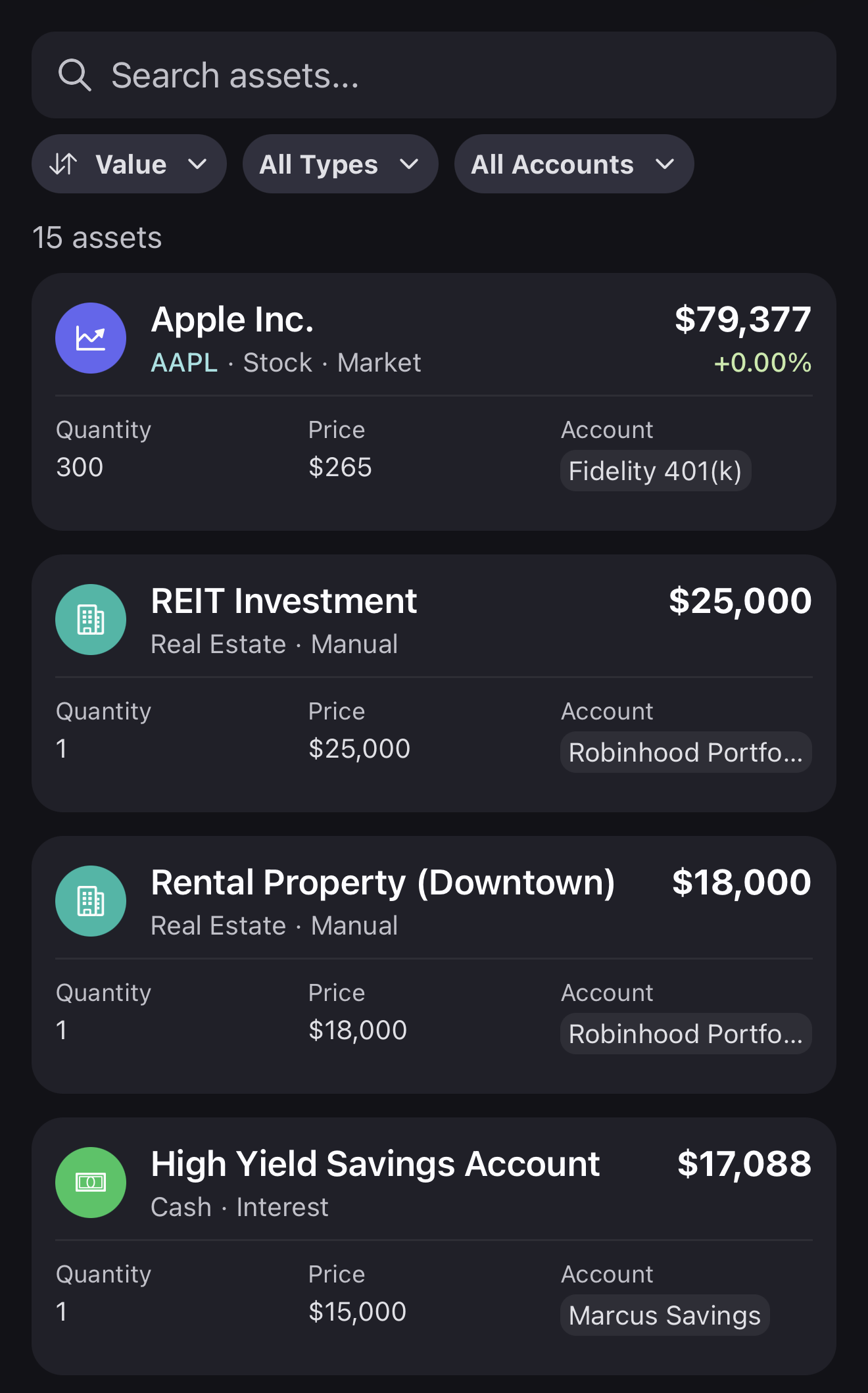
Import from any broker, instantly.
Imported portfolios from Robinhood, Coinbase, Interactive Brokers, and every other broker can be combined into one unified view. SnapFolio.AI keeps tracking prices, values, and performance — so your whole portfolio stays current.
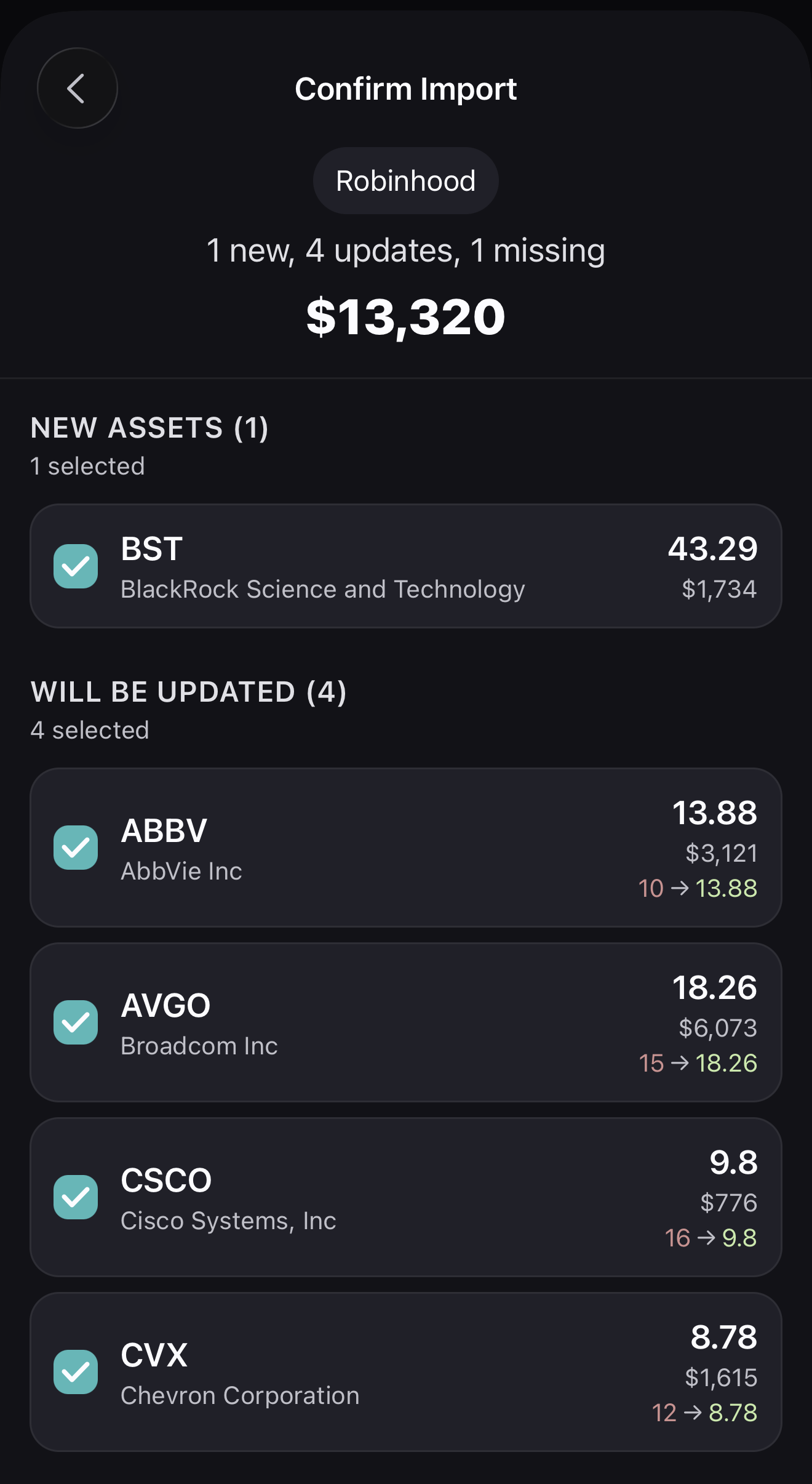
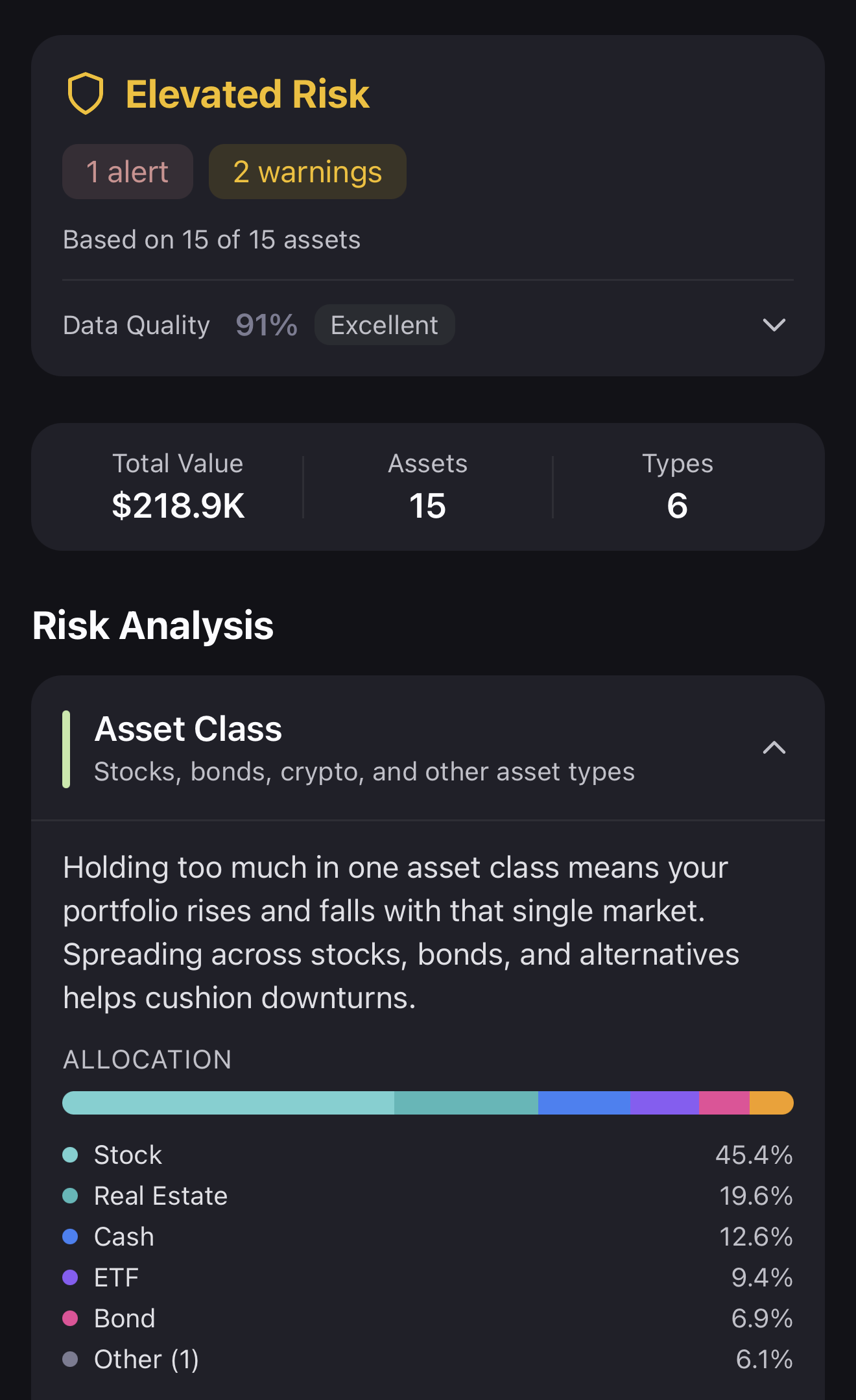
Insights that actually help.
Understand your allocation at a glance. See which sectors drive your returns and how your portfolio has changed over time.
Loved by everyday investors
“I used to dread logging into five different apps. SnapFolio.AI finally gives me one clean view of everything.”
Sarah K.
Long-term investor
“The screenshot import is magic. I had my entire portfolio set up in under a minute.”
James R.
ETF investor
“No account linking, no API keys, no headaches. This is how portfolio tracking should work.”
Maria L.
Crypto & stocks
Frequently asked questions
How does the screenshot import work?
Which brokerages are supported?
Is my data private?
Do prices update automatically?
Can I track crypto and stocks together?
Does SnapFolio.AI give investment advice?
What is included in the free plan, and what does premium add?
Which devices does SnapFolio.AI support?
Start tracking your investments
the right way.
Import your portfolio from a screenshot in seconds. Free, private, and effortless.